FlappedEar Overlays User Guide
FlappedEar Overlays (formerly FlappedEar Telemetry) is a macOS application for motorsport video and data. It puts live telemetry overlays on your onboard video, for one session or for a whole track day of recordings.
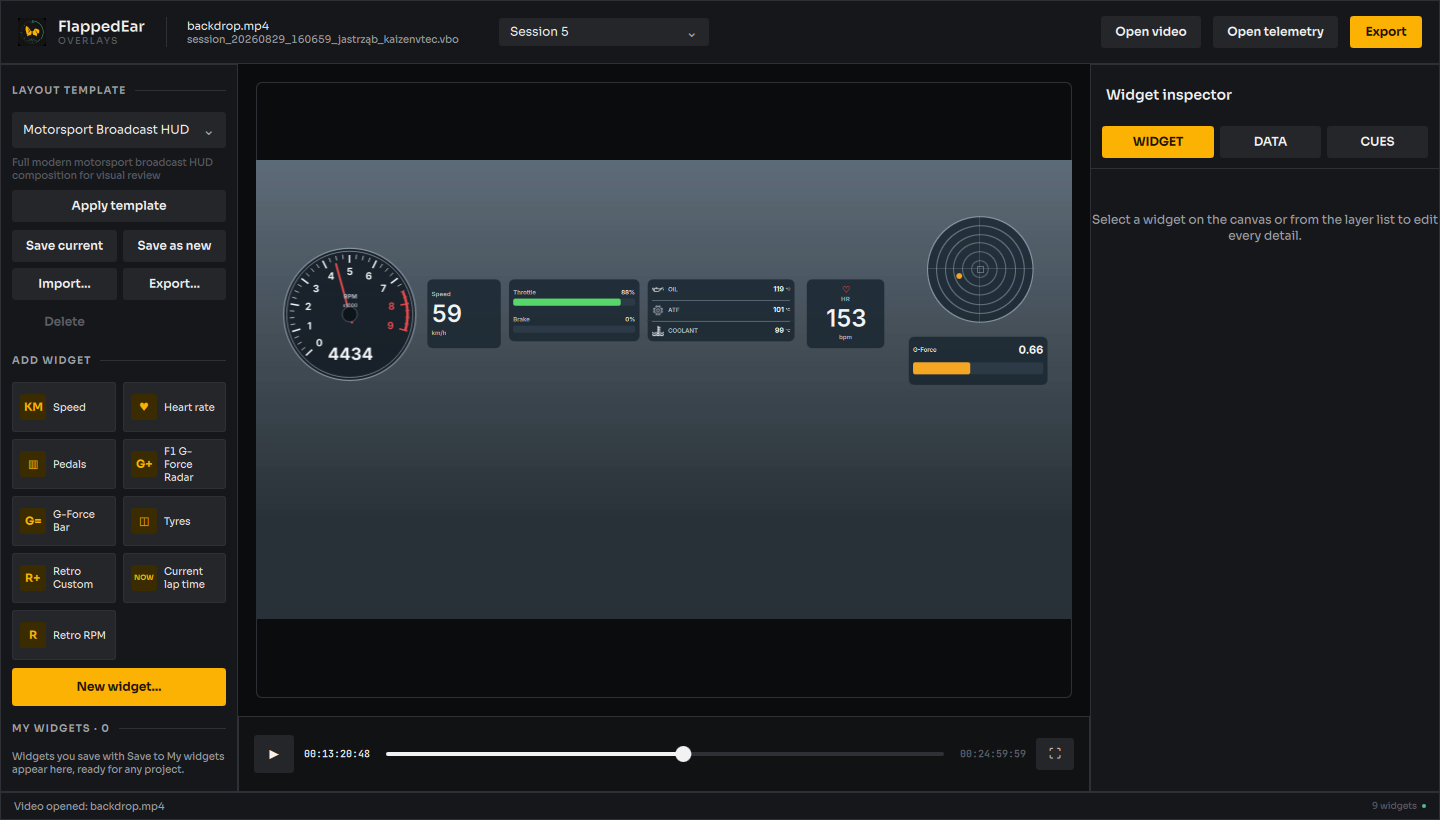
About the pictures: every screenshot in this guide is taken from the application's own controller and interface with real data: the RaceChrono Pro VBO of Session 5 at Jastrząb on 29 August 2026 and all six sessions of that day in one event. Since 6 October 2026 a neutral review backdrop stands in for the onboard GoPro video, so the pictures show the current interface; they will be retaken over the onboard video. The Auto Sync and Video chapters pictures still show the onboard video and the earlier look. How the pictures are produced is described in the capture tools.
What it does
Overlay editor
- Load an MP4 or MOV video and a RaceChrono VBO or RCZ recording.
- Synchronize them automatically from GoPro GPS, or by hand.
- Arrange speed, RPM, pedals, G-force, temperature, heart rate, tyre and lap time widgets, design your own, or start from the built-in template.
- Export an H.265/HEVC MP4 of the whole video, a timecode range, or a single hot lap.
Track days
- Open a track day saved by FlappedEar Telemetry, with each recording as a run, and pick the run to edit in the header.
- Export finds the day's best lap across all runs, from lap detection, and offers it as the hot lap.
Where to start
Terms used in this guide
| Term | Meaning |
|---|---|
| Telemetry | Data recorded by a lap timer or data logger: GPS, speed, RPM, pedals, G, temperatures, heart rate. |
| Channel | One recorded quantity in a telemetry file, for example velocity or rpm-obd. |
| Widget | One overlay element drawn over the video. |
| Template | A saved arrangement of widgets. |
| Event, run, lap | A track day, one session on track, and one timed lap of a session. |
| Timing gate | The start/finish line stored in the telemetry file, used to cut laps. |
| Eligible lap | A complete, plausible lap with good GPS on the day's layout, used to find the day's best lap. A lap under 3 s or over an hour, shorter than 200 m, faster than 100 m/s on average, or much shorter than the other laps of the recording or of the day's circuit is not plausible: it stays listed but never counts as a best lap. |
About this guide
This guide describes FlappedEar Overlays 0.3.0 as built from the source repository. The application is in development; features and screens may change. Known gaps are listed under Limitations.